
Custom Keyboards Keyboard Paint
VIP-only board paint on place 97936747561579 — cosmetic unless the HUD later says otherwise.
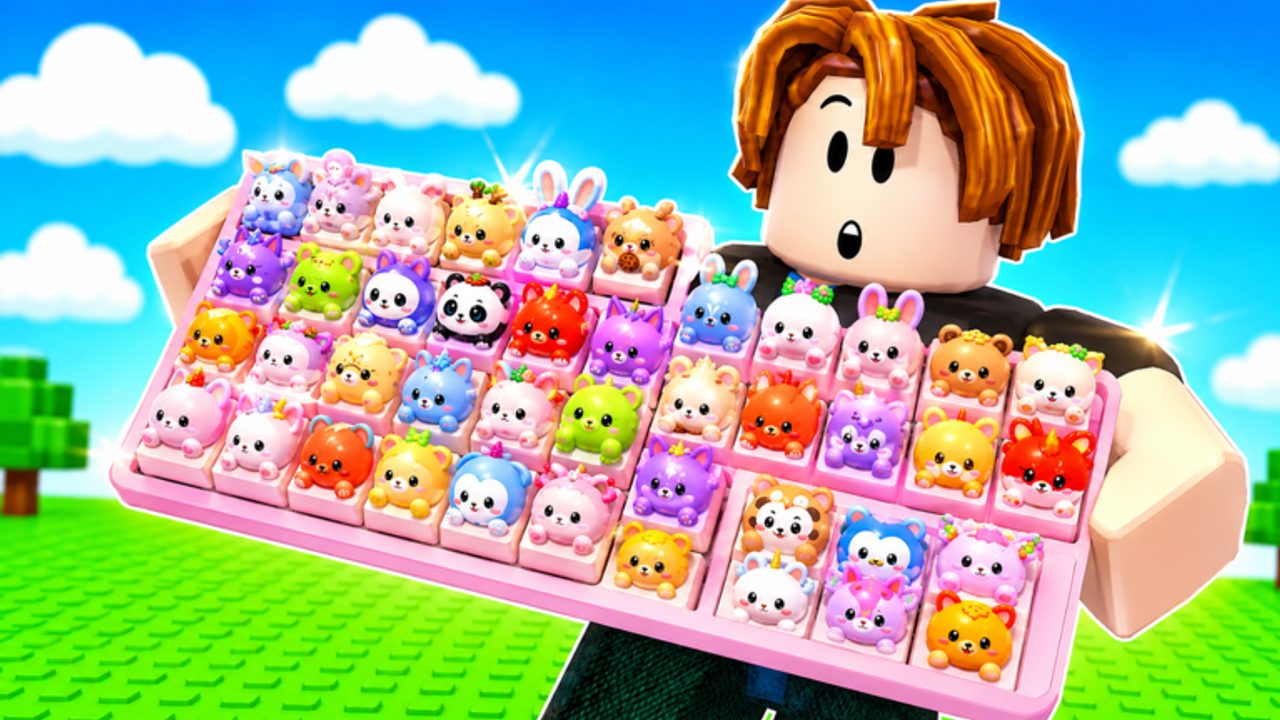
Keyboard Paint is an official VIP perk in Custom Keyboards, not a separate Roblox game. The VIP pass text from Kick a Keyboard lists four things: 1.5x Luck, 2x Cash, an exclusive VIP tag, and Access to Keyboard Paint. This page is about that last line. It will not invent a color catalog the developers have not published, and it will not steal mechanics from Paint My Keyboard, Custom Keyboard Tower, or a hardware keeb tutorial.
If you only wanted money, start on how to earn cash and skip paint until the board already pays. Paint does not roll keycaps. Paint does not redeem BOBA.
How to unlock paint
Buy VIP from the in-game store or the Roblox passes tab on the official play page. On the 5 September 2026 recapture the pass was 699 Robux and still for sale. Confirm the live price before you tap. Passes do not transfer in a trade window. A 4-player server can see your tag; it cannot steal the pass.
VIP is optional. The f2p loop — kick, place, step, codes, group rewards — still prints. Paint is the cosmetic reason some people pick VIP over a cheaper x2 Cash pass. If you do not care how the board looks, you do not need this page.
What Kick a Keyboard actually said
Official VIP description, copied without extra adjectives:
- 1.5x Luck
- 2x Cash
- Exclusive VIP Tag
- Access to Keyboard Paint
Luck and cash are mechanical. The tag is social. Paint is access. This wiki has not seen an official sentence that paint raises step money, Kick Power, or mutation rate. Until that sentence appears on the listing or the pass, treat paint as look. If your HUD income number jumps after a color change, trust the HUD and come back here so we can recapture it. Do not assume 2x Cash plus paint equals 3x because a thumbnail looked shiny.
Other passes that are easy to mix up:
- x2 Cash (249) — money only, no paint line.
- x2 Keycap Luck / x2 Mutation Luck (299 each) — rarity, not color.
- AUTO Perfect / AUTO x2 Button (199 each) — convenience names, blank public text, not a paint tool.
- Fast Spins (5) — wheel animation speed.
Full table: gamepasses.
This is not Paint My Keyboard
Search results will show you a different simulator where you spray keys for cash. That is a lookalike. Custom Keyboards paints because VIP says you may. The loop here is still kick → roll → place → step. If a YouTube thumbnail shows a paintbrush tycoon with workers, close it. Place ID 97936747561579, universe 10494229774, group Kick a Keyboard, owner cemoshh. Wrong ID, wrong paint.
We will not embed those lookalike videos. The two confirmed Custom Keyboards videos on this wiki stay on codes and Getting Started.
How to use paint without wrecking the board
- Own VIP. If the paint control is missing, you do not own it, or a menu is covering the HUD. See controls.
- Close shop, trade, wheel, and codes boxes first. A stuck prompt is how people think paint “broke” the kick.
- Change colors on your plot. Do not stand on a neighbor’s kick while you tap palettes.
- Place paying caps after you paint, or confirm they are still seated. A UI swap can leave a cap in the bag. Empty slots still pay nothing.
- Step the board once. Read the income number. If it did not change, paint did not pay you, which matches the public text.
There is no official list of unlocked swatches, metallic layers, or animated skins this wiki can quote. If the VIP panel shows a grid, pick what you like. Screenshot your own board for best setups notes if the layout matters more than the hue.
Four-player etiquette
Servers hold four people. Your painted board is visible. That is fine. What is not fine:
- Blocking someone else’s kick while you preview colors.
- Opening a trade and walking into the paint UI.
- Advertising “free paint scripts.” Third-party scripts are not VIP and can ban the account.
- Telling a new player they must buy VIP to earn. They must place and step.
The exclusive tag is the social flex. Paint is the plot flex. Neither one is a reason to go-first in a mutant trade.
Paint versus progression
Spend cash upgrades before Robux cosmetics. Upgrade priority still starts with Kick Power keyboards, train speed, the upgrade station, and slots. VIP’s 2x Cash line is the mechanical excuse to buy the pass. Paint is the leftover. If you already own x2 Cash, read the stacked multiplier in-game before you also buy VIP “for paint only.” Shops sometimes replace, sometimes stack. Trust the HUD.
Offline earnings do not care what color the board is. Place payers, leave, collect. A pink board and a grey board with the same caps should idle the same until Kick a Keyboard publishes otherwise.
Rebirth resets progression, not necessarily the pass. You still own VIP after a rebirth. Confirm paint still opens after you reset. If a rebirth prompt warns about cosmetics, read it. Details on rebirth.
After you paint
Go kick. A painted empty board is still an empty board. Redeem the six listed codes if you have not. Keep mutants locked. If you bought VIP for luck as well as paint, put that luck into rolls, then place the keepers. Pair this page with review if you are deciding whether 699 Robux is for you at all.
Keyboard Paint is a VIP door, not a second tycoon. Unlock it when you want the look. Earn with the caps you step.
Frequently Asked Questions
Codes, Kick Power, trading, and Boba answers in one place.
How do I unlock Keyboard Paint in Custom Keyboards?
Buy the VIP pass. Official text includes Access to Keyboard Paint. Live price was 699 Robux on 5 September 2026. See gamepasses.
Does Keyboard Paint increase cash?
Kick a Keyboard has not published a cash bonus for paint. VIP’s 2x Cash line is separate. Trust the HUD income number after you recolor.
Is this the same as Paint My Keyboard?
No. Paint My Keyboard is a different Roblox game. This page is only for Custom Keyboards place 97936747561579.
Can I trade Keyboard Paint or VIP?
No. Gamepasses stay on the account. Trading swaps keycaps and keyboards. Read how to trade.
Do I need VIP to play?
No. Kick, place, and step are free. Start on Getting Started and how to earn cash.