
Getting Started in Custom Keyboards
Kick, place, step, and upgrade on a live 4-player plot without wasting the first rolls.
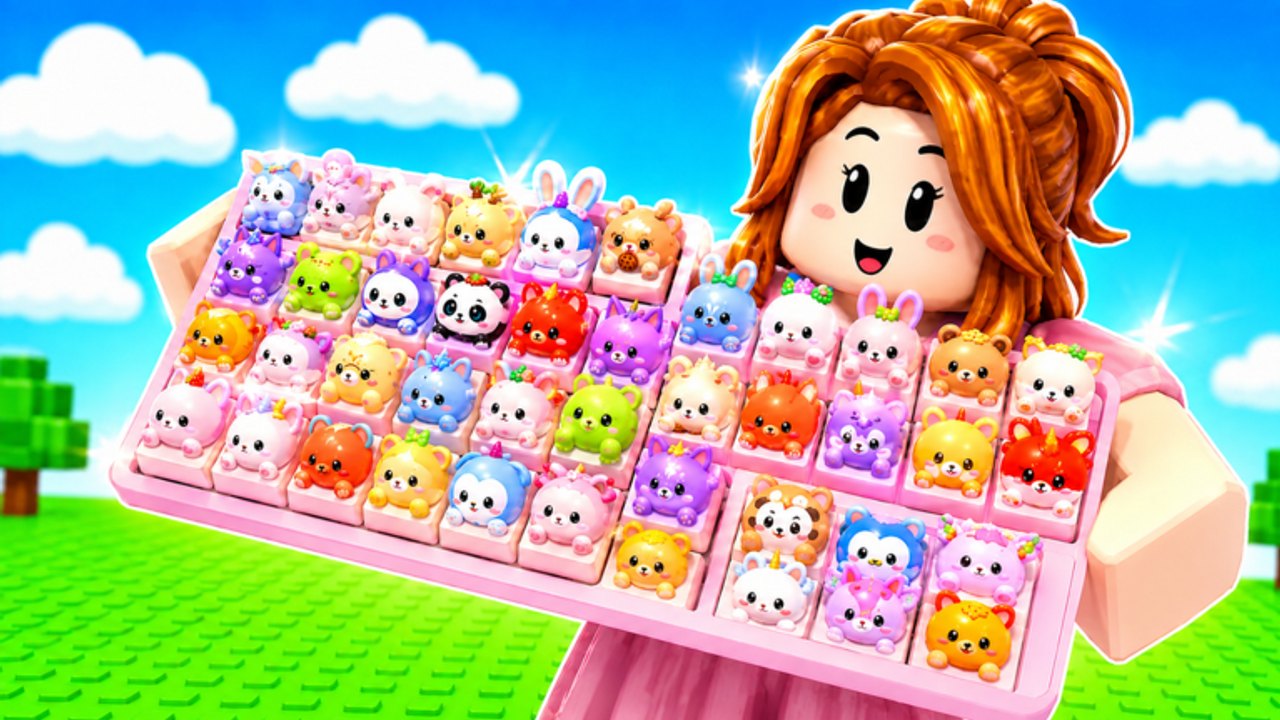
Custom Keyboards is a free Roblox simulation tycoon from Kick a Keyboard. It launched on 13 July 2026. You are not waiting for a release date. You join a 4-player server, claim a plot, and start the loop: kick the keyboard, roll keycaps, place them, step for money, then buy Kick Power. This page is the first hour. It assumes you can walk, jump, and open the HUD. It does not assume you know which caps to keep.
Open the official listing Custom Keyboards on Roblox and confirm the title Custom Keyboards! [TRADING]. If you landed on Build a Keyboard, Custom Keyboard Tower, Paint My Keyboard, or +1 Speed Keyboard Escape, leave. Those games have different loops and different codes.
Minute one
- Wait until the plot loads. A 4-player server can stall if someone is mid-trade.
- Find your keyboard. That is the object you kick. Kicking is the roll. It is not a parkour jump.
- Kick once. Watch where the keycap lands or how the HUD reports the roll.
- Place the cap on an empty slot on your board.
- Step on it. Money is the point. Sound and bounce are flavor.
- Repeat until you can afford the first Kick Power or keyboard upgrade the shop offers.
If the kick does nothing, you may be in a menu, a safe-zone UI, or a trade window. Close it. If you still cannot kick, reset the character once. Do not reinstall Roblox for a stuck prompt.
Redeem before you spend
The Roblox page lists BOBA, 650LIKES, 1000LIKES, 1500LIKES, TRADING, and 2000LIKES. Rewards are not itemized. Redeem them anyway using how to redeem. Then join the Kick a Keyboard group and read group rewards. Codes and group extras are the only free injections you get on day one. Spending first and redeeming later just means the extra cash lands after you already bought a bad upgrade.
Daily and playtime rewards sit on the same HUD family as codes. Claim them when you see a gift or clock icon. They are not listed as codes. They still stack with Kick Power.
What to buy first
Spend on the loop, not the look.
- Kick Power or the next keyboard that raises Kick Power. Weak kicks waste time.
- Train speed / upgrade station if the HUD shows them and they shorten the time between useful kicks.
- Keycap slots so you can hold more paying caps.
- Skin plots last. They are display. They do not step for money.
Upgrade priority is the longer version of that list. Keyboard tiers explains why the next board can beat another slot. Do not rebirth in the first hour. Read rebirth first.
What to place
Place whatever pays more than empty space. In the first hour, empty slots are the enemy. A board of modest caps that you actually step beats one legendary sitting in inventory. When slots fill, sell the worst rarity using sell-by-rarity, then keep anything mutated. Keycap tiers and mutations tell you what to lock later. For now, fill, step, sell junk, kick again.
Equip-best is a shortcut. It often sorts by rarity tag. Rarity is not always money per step. After you place, look at the earnings readout if the HUD shows one. Trust that number more than the color of the label.
Other players
You share the server with up to three other people. They can see your board. They can offer trades. They can also stand in your way. Do not leave a trade window open while you kick. Do not accept a deal you cannot read. How to trade and trading wait until you know which caps you actually need. On day one, decline anything that asks you to go first with your only mutated cap.
Offline earnings exist. If you have to leave, leave. The board still pays. You do not need a script to idle. The full setup is on offline earnings. Scripts break Roblox rules and can ban the account you just started.
First-hour checklist
- Confirmed the listing name and Kick a Keyboard group.
- Redeemed the six listed codes.
- Claimed daily or playtime if visible.
- Kicked, placed, and stepped at least a full small board.
- Bought Kick Power or the next keyboard before cosmetics.
- Did not rebirth.
- Did not dump mutated caps into sell-all.
- Bookmarked this wiki so the next session starts at how to kick or rare keycaps instead of guessing.
If Boba is live, do not sell themed drops until you read Boba event. If the HUD shows a spin wheel or shop pack, treat Robux spends as optional. The f2p loop works without them.
After the first hour, your job changes from “fill the board” to “filter the board.” That is the rest of the Guides Hub.
Frequently Asked Questions
Codes, Kick Power, trading, and Boba answers in one place.
Is Custom Keyboards free to play?
Yes. It is a free Roblox tycoon. Robux packs are optional. Start with codes and Kick Power.
What do I do first after joining?
Kick the keyboard, place the cap, step for money, then redeem codes before you buy cosmetics.
Can I play solo?
Servers hold four players. You can ignore trades, but it is still online multiplayer, not a single-player sandbox.
Should I rebirth in the first hour?
No. Read rebirth first. Early resets often wipe cash you still needed for Kick Power.
Where do I learn kicking in more depth?
Open how to kick after this page, then upgrade priority.