
Custom Keyboards Controls and HUD
Where to stand, what to tap, and which menus steal the kick on a 4-player plot.
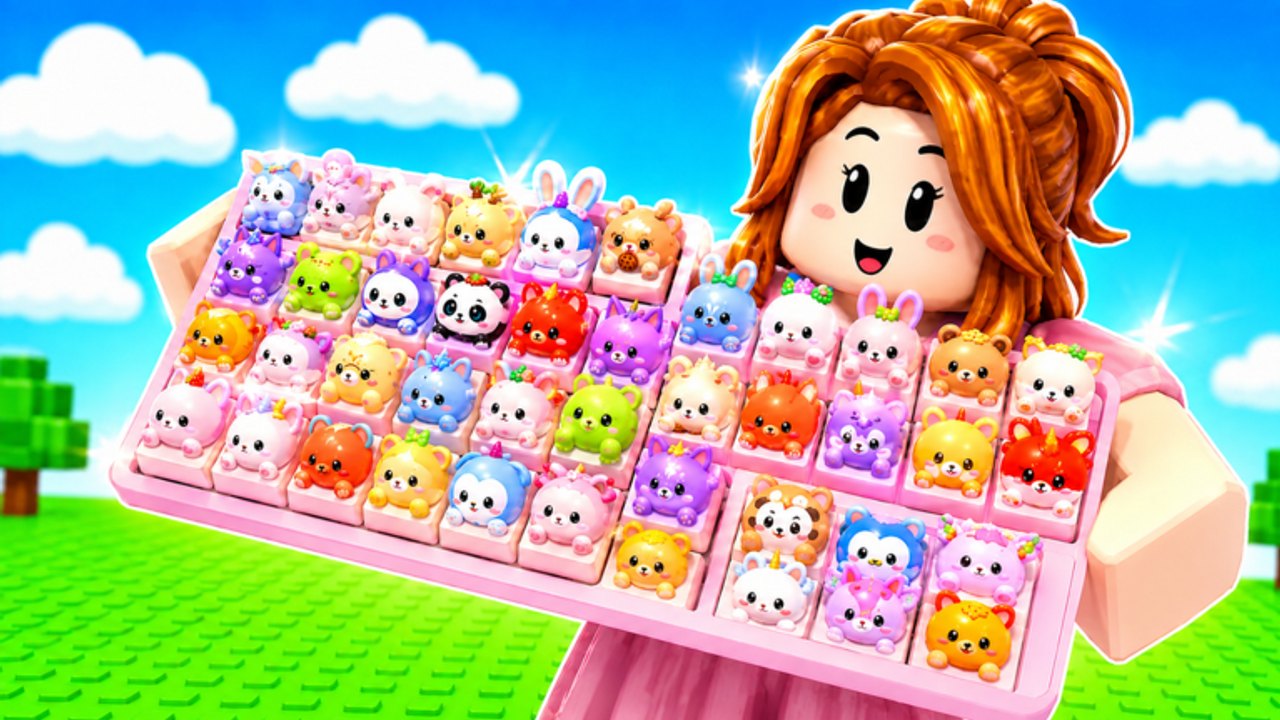
Custom Keyboards is a Roblox simulation tycoon, not a tower obby and not a paint clicker. You walk a small plot, kick a keyboard to roll keycaps, place those caps, and step on them for cash. This page is the control and HUD map for that loop on PC, mobile, and console. It does not invent a keybind table the developers never published. If a prompt says Jump, tap jump. If a prompt says Kick, that is the roll. Read the live label.
Open the real listing Custom Keyboards on Roblox first. Place ID 97936747561579. Title Custom Keyboards! [TRADING]. If you landed in Build a Keyboard or +1 Speed Keyboard Escape, none of these HUD names apply.
The four verbs
- Move. Walk to your keyboard, your board, the upgrade station, the safe zone, and event pickups. Camera drag on mobile, WASD or thumbstick on PC and console. You share the floor with up to three other players, so do not camp their kick.
- Kick. Face the keyboard on your plot and use the on-screen kick / interact prompt. That roll spends Kick Power and drops a keycap. Details live on how to kick. If the prompt does nothing, a menu is open.
- Place. Pick a rolled or inventory cap and seat it on an empty slot. Empty slots pay nothing. First-hour placement is in Getting Started.
- Step. Walk or stand on placed caps so they print money. Offline earnings keep paying after you leave. You do not need a script to idle.
Sell, equip-best, trade, rebirth, and shop packs are extra verbs. They sit in HUD buttons, not on the keyboard mesh.
HUD family
The live HUD changes with patches. As of the 5 September 2026 listing update, players still hunt the same clusters:
- Codes. Type BOBA, 650LIKES, 1000LIKES, 1500LIKES, TRADING, and 2000LIKES. Walkthrough: how to redeem.
- Daily and playtime. Gift or clock icons. Claim them every session on daily rewards.
- Shop / gamepasses. Robux passes such as x2 Kick Power and VIP. Full price table: gamepasses.
- Spin the Wheel. A separate spend sink. Fast Spins is a 5 Robux convenience pass, not a luck multiplier.
- Trade. Opens a window with one of the other three players. Pause kicks. See how to trade.
- Rebirth. A reset prompt. Read rebirth before you tap it.
- Boba. Event box and quest claims while the limited line is on the Roblox page. Boba event.
If two menus overlap, close them in reverse order. A trade window on top of the shop is why kicks silently fail.
Safe zone and upgrade station
Community farms and the live HUD both treat two named spots as real:
- Safe zone. A pause pocket for trades and menu work. Kick Power does not farm here. If money stalls while the kick animation still plays, you walked into the safe zone. Walk back to the board and step.
- Upgrade station. The spend point for train speed, keycap slots, and station upgrades that are not the next keyboard model. Pair it with upgrade priority: Kick Power first, then train / station, then slots, then cosmetics.
Teleport toggles in third-party scripts jump between those two spots. You can walk. Walking is allowed.
Train speed
Train keyboard / speed bulk buys shorten the wait between useful kicks. They are not Kick Power. A fast weak kick still rolls junk. Buy train after the next keyboard actually raises Kick Power. Keyboard tiers explains why the board model matters more than spam rate.
PC versus mobile
The loop is the same. The failure modes differ.
- PC. Mouse menus are easy to leave open. Close the shop before you kick. Shift-lock can make the kick face the wrong way; unlock, face the keyboard, kick.
- Mobile. Thumbs cover prompts. Pinch the camera so the kick button is not under the shop. Do not start a trade while the daily gift popup is up.
- Console. Use the highlighted interact prompt. Do not remap blindly; this wiki will not invent a custom bind sheet.
All three platforms join the same 4-player servers. A mobile player can trade with a PC player. Etiquette does not change.
When a control feels broken
- Close every HUD panel.
- Step off the safe zone.
- Face your own keyboard, not a neighbor’s.
- Reset the character once.
- Hop servers if a trade window is stuck after the other player left.
Do not reinstall Roblox for a stuck prompt. Do not buy AUTO Perfect as a “fix” until you have kicked once by hand; gamepasses are multipliers and convenience, not repair tools.
How this page connects
After you can kick and close menus, spend cash with upgrade priority. Filter caps with rare keycaps. Claim gifts on daily rewards. If you automate anyway, auto kick explains why a menu covering the prompt breaks the toggle.
Controls are boring on purpose. The tycoon pays people who face the keyboard, close the shop, and step the board. Everything else is a menu you can close.
Frequently Asked Questions
Codes, Kick Power, trading, and Boba answers in one place.
What button do I press to kick?
Use the on-screen kick or interact prompt on your plot keyboard. This wiki does not invent a keybind the HUD does not show. See how to kick.
Why did my kick stop working?
A shop, trade, daily, or safe-zone menu is probably open. Close panels, walk back to the board, then kick again.
What is the safe zone?
A pause pocket for trades and HUD work. You do not farm Kick Power there. Walk back to your keyboard to roll and step.
Is mobile missing features?
No. PC, mobile, and console share the same 4-player servers, codes, and gamepasses. Only the touch layout changes.
Where are daily rewards in the HUD?
Look for gift or clock icons, then follow daily rewards. They are not the six listed codes.